
QR Code
There is no fee for deposits with this payment method. Minimum deposit is N100 and Maximum deposit is N10,000.
Step 1: Log in to your Bet9ja account with your username and password using the function provided at the top right of the website.
Step 2: Click on “Deposit” from the drop down menu.
Step 3: This will open up the cashier window. Click on “QR Code Payment”.

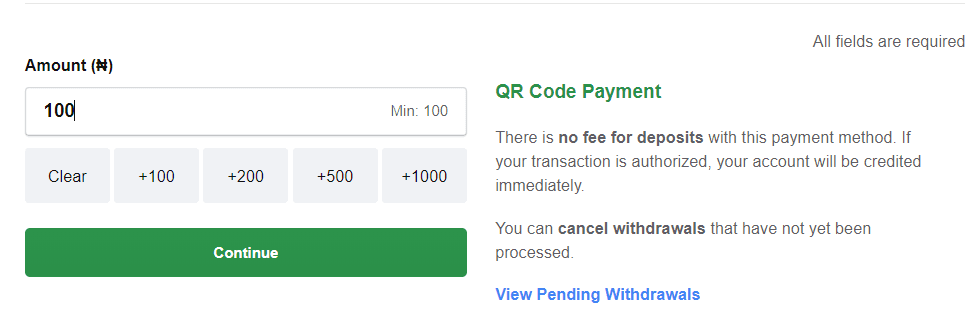
Step 4: Enter the amount that you would like to deposit in the space provided and click “Continue”. You can also view the status of your previous transactions here.
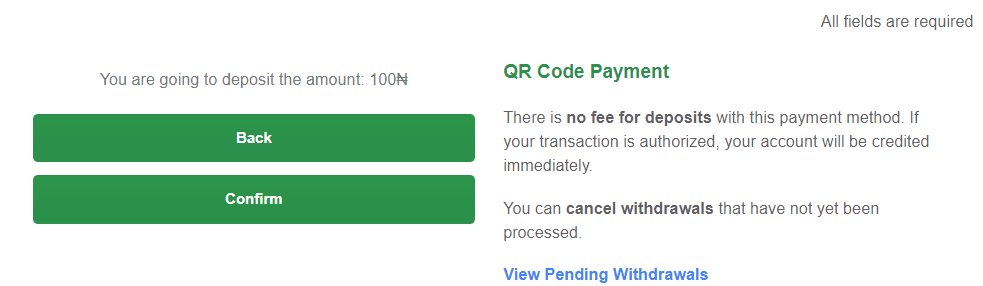
Step 5: You will be asked to confirm that the amount you entered is correct. If you wish to deposit the amount specified, click “Confirm”.
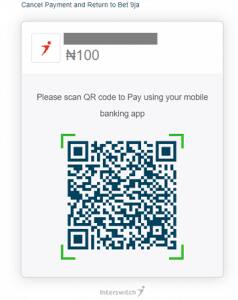
Step 6: You will then be redirected to a page displaying QR Code, please scan QR Code using your mobile banking app to make payment
Step 7: After scanning the QR Code with your bank mobile app and approving the transaction, you will be redirected to a confirmation page.
